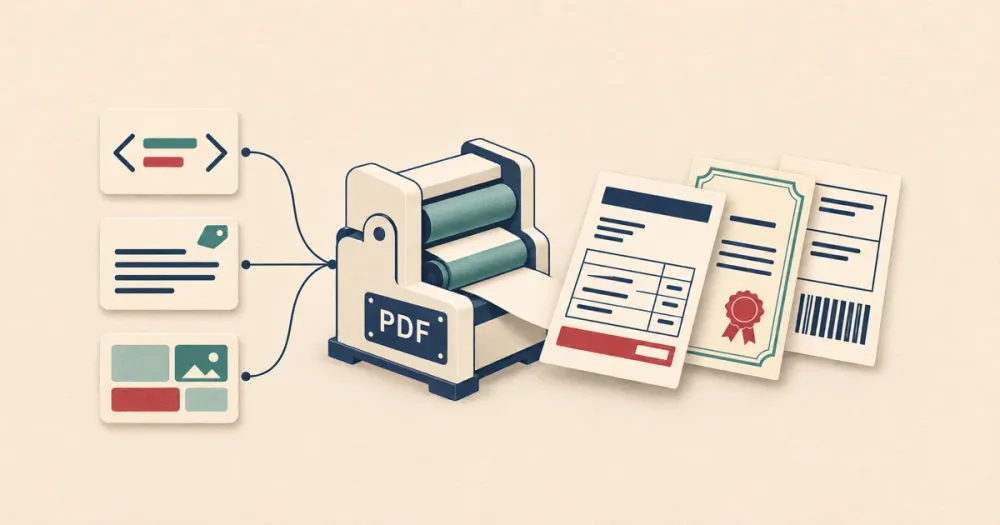
A PDF generation API takes your data and a description of a document, and gives you back a new PDF. People use them for invoices, receipts, contracts, reports, certificates, statements and shipping labels: documents you design yourself, as opposed to official forms someone else designed.
I'm the founder of DocSpring, which is the first API on this list. The sections on the other eight are based on their documentation and pricing pages as of November 2026.
If you need to fill in an existing PDF form, such as a tax form or an insurance application, read Best PDF form filling APIs (2026) instead. (DocSpring does that too.)
Four ways to describe a document
The APIs on this list all work slightly differently. The data you send the API and the way you design layouts depend on which tool you're using. Here are some of the options:
- Your app renders finished HTML with its own template engine and sends it on every request. The layout lives in your codebase, and only developers change it.
- You store an HTML template in the service, written in HTML and CSS with a template language such as Liquid or Jinja2, and send JSON data. The layout lives outside your code, but you still need someone who writes HTML.
- Someone writes the document in Microsoft Word with tags where the data goes. This suits contracts and letters that a lawyer or an operations team already maintains in Word.
- You place text, images, tables and barcodes on a page in a drag-and-drop designer in the browser. Anyone on your team can change the layout.
Decide which of these fits your documents and the people who will change them, then compare the APIs that support it. Most support one or two.
Comparison
| API | Finished HTML | Stored HTML templates | Word templates | Drag-and-drop designer | Hosting |
|---|---|---|---|---|---|
| DocSpring | Through a template | Liquid | Yes | Yes | US or EU |
| DocRaptor | Yes (Prince) | No | No | No | US |
| PDFShift | Yes | No template language | No | No | EU |
| PDFMonkey | No | Liquid | No | Yes | EU |
| CraftMyPDF | No | No | No | Yes | US, EU, Singapore, Australia |
| APITemplate.io | Yes | Jinja2 | No | Rich-text editor | US, EU, Singapore, Australia |
| PDF Generator API | Yes | No | No | Yes | One region, or a dedicated deployment |
| Adobe Document Generation | No | No | Yes | No | Adobe's cloud |
| Gotenberg | Yes | No | Converts .docx as it is | No | Self-hosted |
1. DocSpring
DocSpring has four kinds of templates and supports all four of these approaches. You can create an HTML/CSS template with Liquid, upload a Word document with tags in it, or build a page design in the Page Designer, and they all take the same API request. The same API can also fill in existing PDF forms, so you can build one integration that generates your own invoices while also filling in official government forms.
An HTML template is HTML and SCSS with Liquid tags in it. When you save it, DocSpring adds a field for each tag:
<h1>Invoice for {{ customer_name | escape }}</h1>
<table>
  <tr><th>Description</th><th>Amount (USD)</th></tr>
  {% for item in items %}
    <tr>
      <td>{{ item.description | escape }}</td>
      <td>{{ item.amount | currency }}</td>
    </tr>
  {% endfor %}
</table>
Then you send the template ID and your data:
curl --fail-with-body \
  "https://sync.api.docspring.com/api/v2/templates/${DOCSPRING_TEMPLATE_ID}/submissions" \
  --user "${DOCSPRING_TOKEN_ID}:${DOCSPRING_TOKEN_SECRET}" \
  --header 'Content-Type: application/json' \
  --data '{
    "test": true,
    "data": {
      "customer_name": "Mira Patel",
      "items": [
        { "description": "Annual inspection", "amount": 120 },
        { "description": "Replacement filter", "amount": 35 }
      ]
    }
  }'
The response is JSON with a link to the PDF. If you set test to true, you get a watermarked PDF that doesn't cost anything, on any plan, so you can finish your integration before you pay.
There's no endpoint that converts HTML you send (although one is coming soon). In the meantime, if your app already renders the HTML, you can simply make a template that prints it with {{ html | raw }}, and send the HTML as your data.
A Word template is a .docx file with tags such as {{ customer.name }}, and loops over table rows. You can upload a Word document that already has tags, or start from a blank page in the DocSpring template editor. It can produce a PDF, a Word document or both.
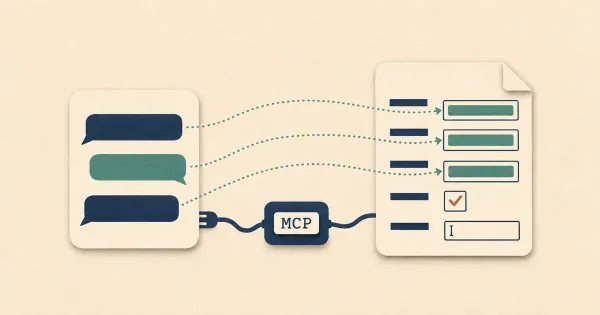
The Page Designer places text, images, tables, charts, QR codes and barcodes on a page, and its tables carry on over as many pages as they need. Page designs are JSON with a published schema, so an AI assistant can build one for you through DocSpring's MCP server.
Templates can be versioned. You change a draft, preview it with sample data, and publish a new version, and your API requests can use the latest version or stay on a specific one. You can generate up to 50 PDFs in one request, combine PDFs into one file, and have every PDF saved to your own S3 bucket, Google Drive, Dropbox or Box. DocSpring runs in the US or the EU, has a SOC 2 Type II report, and signs a HIPAA BAA on every paid plan.
DocSpring renders HTML with Chromium, so it supports less of the CSS paged media spec than DocRaptor's Prince engine. Ordinary invoices and contracts are fine, but if your documents depend on footnotes or running headers, you may find that DocRaptor is a better fit.
DocSpring is the service I'd choose when the templates live outside your code and change over time, when people who don't write HTML need to edit them, or when you also fill PDF forms or collect signatures.
2. DocRaptor
DocRaptor renders HTML with Prince, a print engine that supports far more of the CSS paged media spec than any browser: footnotes, running headers, page selectors and precise page breaks. If you publish long reports and your app already produces the HTML, DocRaptor will render them better than a Chromium-based service.
DocRaptor only converts HTML. There are no stored templates or template language, so your app sends the finished HTML every time. A synchronous request returns the PDF bytes, and there's an asynchronous mode with a status URL for longer jobs. Documents are rendered in the US only.
A document counts once whatever its length, which makes DocRaptor cheap for long reports. Plans start at $15 a month for 125 documents, billed monthly. DocRaptor has been part of Artifex Software since October 2025.
DocRaptor is the best choice for demanding print layouts from HTML you already have. We have a longer comparison of DocSpring and DocRaptor.
3. PDFShift
PDFShift converts HTML or a URL to a PDF with Chromium. It can save the output straight to your S3, Google Cloud Storage or Cloudflare R2 bucket, convert up to 50 documents in one request on paid plans, and it has a hosted MCP server.
You can store HTML in PDFShift, but there's no documented syntax for variables, loops or conditions, and no versions, so in practice you send finished HTML. Conversion runs on servers in France, with no US region.
Plans start at $9 a month for 500 credits. A credit covers a PDF of up to 5 MB, so a PDF with large images can cost several credits.
PDFShift is a good, inexpensive choice when your app already makes the HTML and you just need a PDF back. Here's our comparison of DocSpring and PDFShift.
4. PDFMonkey
PDFMonkey stores HTML/CSS templates with Liquid, as DocSpring does, so an invoice template moves between the two with few changes. It also has a drag-and-drop builder with text, image, table, QR code and HTML blocks. Templates have a draft and a published copy, but no version history.
PDFMonkey has official Zapier, Make and n8n connectors, and signed webhooks with retries. It doesn't import PDF or Word files, and it's hosted in the EU only, without SOC 2 or HIPAA.
It's much cheaper than DocSpring: Starter is 5 euros a month for 300 documents, billed monthly.
PDFMonkey is a sensible pick for a small European team that generates invoices from an automation tool. Here's our comparison of DocSpring and PDFMonkey.
5. CraftMyPDF
CraftMyPDF is built around a drag-and-drop designer with text, images, tables, charts, barcodes and fillable form fields, and expressions in curly braces for your data. Templates are versioned, you can upload your own fonts, and it makes images as well as PDFs. It can also fill existing PDFs and send documents for e-signature.
There's no whole-template HTML mode: HTML goes in a component inside a visual template. It has regional endpoints in the US, Europe, Singapore and Australia, and a SOC 2 Type II report.
The free plan includes 50 PDFs a month, and paid plans start at $29 a month for 1,200 credits. A PDF costs one credit whatever its length, and credits don't roll over.
CraftMyPDF is a good choice when your team wants to design documents visually and you don't need Word templates. Here's our comparison of DocSpring and CraftMyPDF.
6. APITemplate.io
APITemplate.io has HTML templates with Jinja2 and a rich-text editor for simpler PDFs, and it converts URLs and Markdown. Its drag-and-drop canvas makes images, such as social posts and banners, rather than PDFs.
Templates are edited in place, with no version history. It has a SOC 2 Type II report and regional endpoints in the US, Europe, Singapore and Australia.
PDF Basic is $19 a month, billed annually, for 3,000 PDFs.
APITemplate.io is a strong choice for low-cost HTML PDFs, especially if you need images too. Here's our comparison of DocSpring and APITemplate.io.
7. PDF Generator API
PDF Generator API has a drag-and-drop editor with tables, charts, barcodes and form fields, and an AI chat assistant that builds templates from a prompt. It saves a version on every save, has batch endpoints, converts HTML and URLs, collects data with web forms, and seals signed documents with trusted timestamps. Its MCP server can create templates as well as generate documents.
It also has e-invoice and accessibility APIs. It's certified to ISO 27001 rather than SOC 2, and it offers on-premises deployment with the source code under a custom license. Standard plans don't let you choose a region.
There's no permanent free plan, only a 14-day trial, and a testing flag for free previews. One credit covers up to five pages, and plans start at 8 euros a month for 50 credits, billed monthly.
PDF Generator API is worth a look if you need ISO 27001, e-invoices or an on-premises install. Here's our comparison of DocSpring and PDF Generator API.
8. Adobe Document Generation
Adobe's Document Generation API fills a Word template with JSON data and returns a PDF or a Word document. You add the tags in Word with Adobe's Document Generation Tagger add-in, or type them yourself. Tags can repeat table rows and sections for each item in a list, show content when a condition such as expr(total > 1000) is true, do calculations with JSONata, and insert images.
A request takes three steps: upload the template, start a job, then poll until the document is ready. It's part of Adobe's PDF Services API, so the same account can also convert, merge and compress PDFs. There's no HTML template or visual designer.
The free tier includes 500 document transactions a month, shared with the other PDF Services, and a generated document counts once whatever its length. Beyond that you need an agreement with Adobe's sales team; there's no self-serve price.
Adobe Document Generation is worth a look if your documents are already in Word and you use other PDF Services, or your company already buys from Adobe.
9. Gotenberg
Gotenberg is free, MIT-licensed software that you run yourself. It packages Chromium and LibreOffice in one Docker image behind an HTTP API, so it converts HTML, Markdown, URLs and about 130 office file types, including Word documents, to PDF. It also merges, splits, watermarks and encrypts PDFs.
It doesn't store templates or fill in data, so your app renders the HTML or the Word document first. You also run the container, which typically needs one or two GB of memory per instance, and keep it up to date.
Gotenberg is the best option when documents can't leave your own servers. Here's our comparison of DocSpring and Gotenberg.
An example: a lease packet
A request like this one shows how the approaches differ. A property manager wants to generate a lease agreement and its disclosure forms from a tenant's details.
The lease is a contract that a lawyer edits in Word, so a Word template keeps it in the format they already use. The disclosures are often PDFs published by a state agency or a landlords' association, and they have to keep their original layout. In DocSpring, each disclosure becomes a PDF template next to the lease's Word template, and one call to the combine endpoint puts them all in a single PDF for the tenant. With the HTML-only services, someone has to rebuild the lease and each official form in HTML, then keep them in step with the lawyer's Word file and the agency's PDFs.
Which one should you choose?
Use DocSpring when your templates should live outside your code and change over time, when people who don't write HTML edit them, or when your documents mix HTML, Word and official PDF forms. Test PDFs are free while you build.
The others make sense in a few cases:
- Long reports with footnotes and running headers, from HTML you already have: DocRaptor.
- Converting HTML at the lowest price: PDFShift, or Gotenberg on your own servers.
- Liquid templates from an automation tool, hosted in the EU: PDFMonkey.
- A visual designer with your own fonts, or images as well as PDFs: CraftMyPDF or APITemplate.io.
- ISO 27001 or a dedicated install: PDF Generator API.
- Word templates from a company that already buys from Adobe: Adobe Document Generation.
You can create a free DocSpring account, make an HTML, Word or Page Designer template, and generate test PDFs without paying anything.