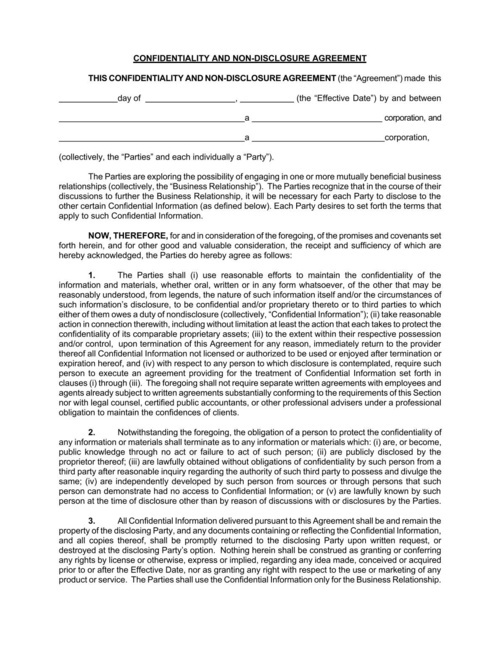
This template allows representatives from two companies to enter into a Non-Disclosure Agreement (NDA). You can use DocSpring's Data Requests (Electronic Signatures) feature to embed this form on your website and collect legally binding signatures.
Fill court forms, contracts and client documents with data from your intake forms or practice management system. Clients review and sign online, and every signed PDF includes an audit trail.

Legal tech platforms and law firms use DocSpring to turn client answers into finished documents. Court forms keep their official layout, and your own agreements fill from the same data.

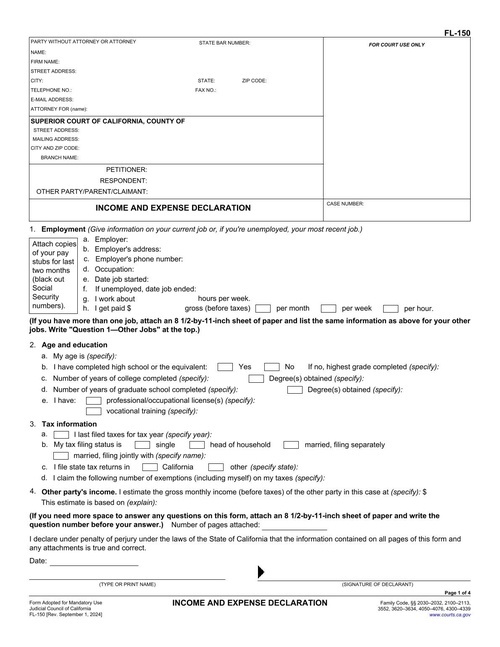
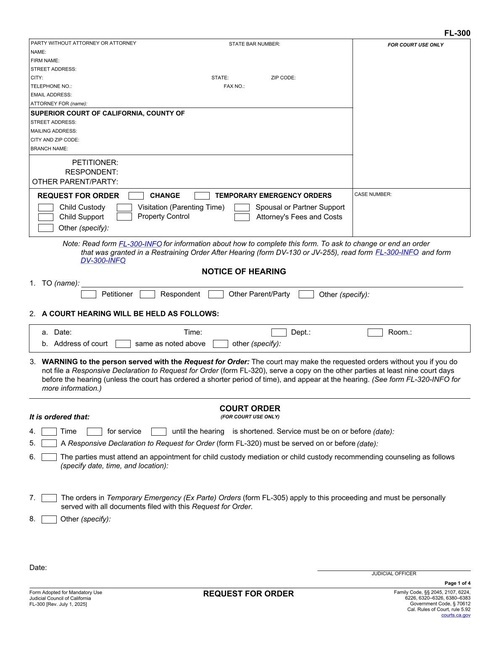
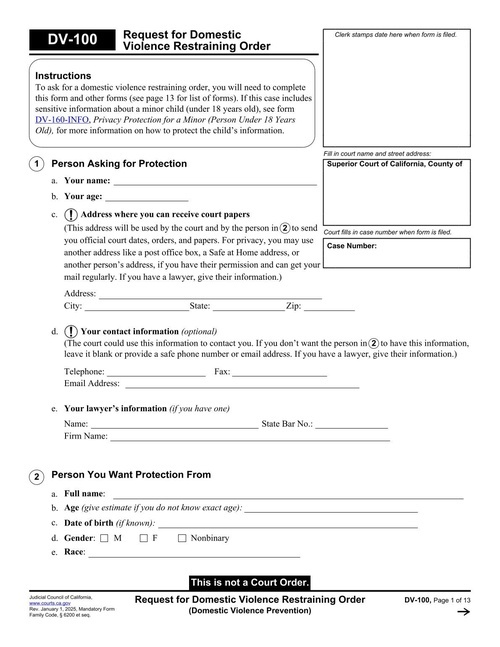
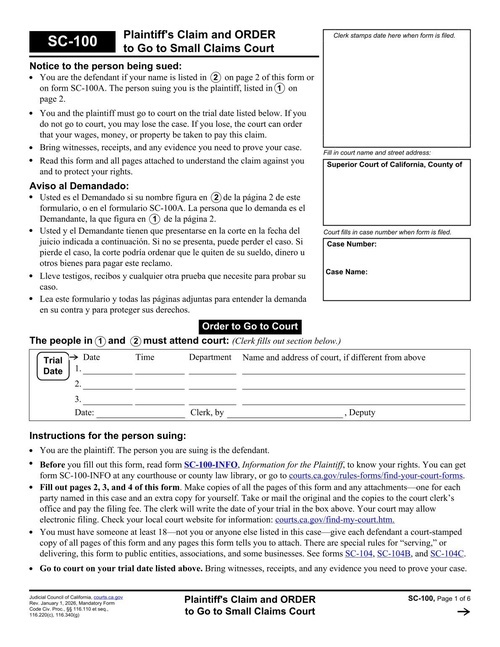
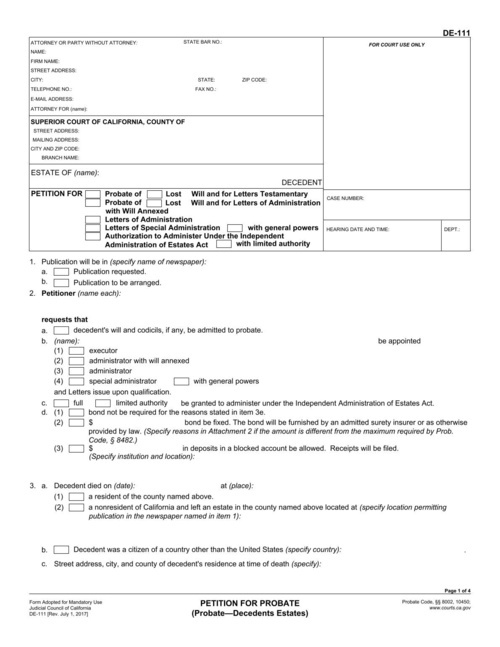
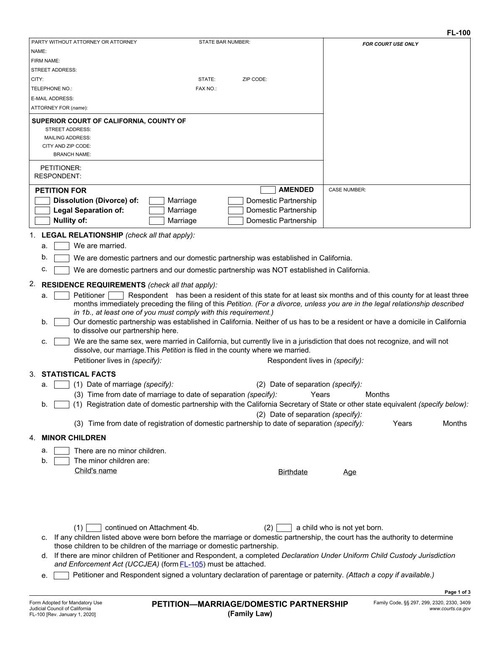
Fill family law, probate and small claims forms such as the FL-100, FL-150, FL-300, DV-100, DE-111 and SC-100 from a client's intake answers.
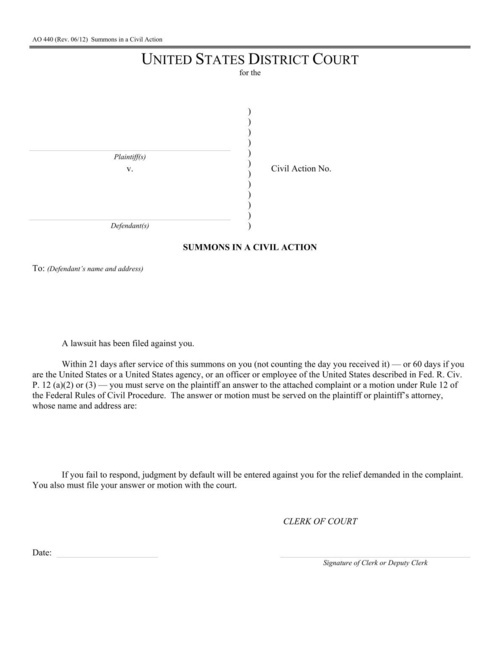
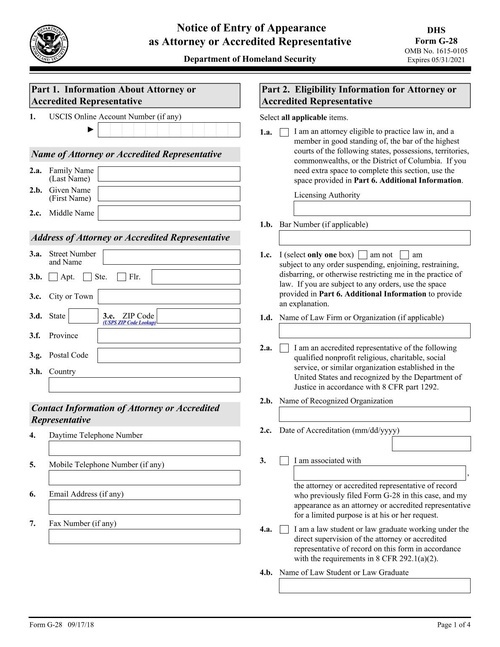
Fill federal forms such as the AO 440 summons in a civil action, and the G-28 notice of appearance before USCIS.
Turn intake questionnaires for divorce, guardianship, name changes and estate planning into completed forms, so clients answer each question once.
Generate NDAs, service agreements and engagement letters from your templates, one at a time or in bulk.
Fill wills, powers of attorney and healthcare directives from the details clients enter online.
Fill bail bond applications, indemnity agreements and promissory notes for each defendant and co-signer.
This template allows representatives from two companies to enter into a Non-Disclosure Agreement (NDA). You can use DocSpring's Data Requests (Electronic Signatures) feature to embed this form on your website and collect legally binding signatures.
Paste these commands into your terminal to run a script that will generate a new PDF.
curl -fSL "https://sync.api.docspring.com/api/v1/templates/tpl_kNJn6JMqsrP4sa7zYa/submissions" \
  -u "api_nXerNcJM5LRThDXgka:9pAJQZb5mYQZHjQHjZCQJJ9hxSPGL9ZAYc3QFxgQCE" \
  -d '{
    "data": {
      "agreement_date": "2022-09-03",
      "signer1": {
        "company": "culpa tempor et",
        "company_location": "sit",
        "signature": {
          "text": {
            "name": "nulla reprehenderit",
            "typeface": "Caveat"
          }
        },
        "name": "Seamus Botsford",
        "title": "Excepteur"
      },
      "Second Signer": {
        "company": "sit enim nisi occaecat",
        "company_location": "tempor cupidatat velit",
        "signature": {
          "text": {
            "name": "nisi fugiat conseq",
            "typeface": "Sacramento"
          }
        },
        "name": "Destiny Mraz",
        "title": "pariatur Ut"
      },
      "state": "tempor cupidatat aliqua ipsum"
    },
    "test": false,
    "metadata": {}
  }'
Paste these commands into your terminal to run a script that will generate a new PDF.
# This template has a lot of fields, so you'll need to download and run this bash script:

curl -sfSL "https://app.docspring.com/api/v1/templates/tpl_bLxGaL5brbxR5NJs43/curl_example.sh" \
  -u "api_nXerNcJM5LRThDXgka:9pAJQZb5mYQZHjQHjZCQJJ9hxSPGL9ZAYc3QFxgQCE" \
  -o "/tmp/docspring_tpl_bLxGaL5brbxR5NJs43.sh"
bash "/tmp/docspring_tpl_bLxGaL5brbxR5NJs43.sh"
Paste these commands into your terminal to run a script that will generate a new PDF.
# This template has a lot of fields, so you'll need to download and run this bash script:

curl -sfSL "https://app.docspring.com/api/v1/templates/tpl_tqzCPn7KNHs7JrzDmF/curl_example.sh" \
  -u "api_nXerNcJM5LRThDXgka:9pAJQZb5mYQZHjQHjZCQJJ9hxSPGL9ZAYc3QFxgQCE" \
  -o "/tmp/docspring_tpl_tqzCPn7KNHs7JrzDmF.sh"
bash "/tmp/docspring_tpl_tqzCPn7KNHs7JrzDmF.sh"
Paste these commands into your terminal to run a script that will generate a new PDF.
# This template has a lot of fields, so you'll need to download and run this bash script:

curl -sfSL "https://app.docspring.com/api/v1/templates/tpl_KN5xPx6QFnxMqcfzPt/curl_example.sh" \
  -u "api_nXerNcJM5LRThDXgka:9pAJQZb5mYQZHjQHjZCQJJ9hxSPGL9ZAYc3QFxgQCE" \
  -o "/tmp/docspring_tpl_KN5xPx6QFnxMqcfzPt.sh"
bash "/tmp/docspring_tpl_KN5xPx6QFnxMqcfzPt.sh"
Paste these commands into your terminal to run a script that will generate a new PDF.
# This template has a lot of fields, so you'll need to download and run this bash script:

curl -sfSL "https://app.docspring.com/api/v1/templates/tpl_MfDCdHtAXXNpjRZ7Ze/curl_example.sh" \
  -u "api_nXerNcJM5LRThDXgka:9pAJQZb5mYQZHjQHjZCQJJ9hxSPGL9ZAYc3QFxgQCE" \
  -o "/tmp/docspring_tpl_MfDCdHtAXXNpjRZ7Ze.sh"
bash "/tmp/docspring_tpl_MfDCdHtAXXNpjRZ7Ze.sh"
Paste these commands into your terminal to run a script that will generate a new PDF.
# This template has a lot of fields, so you'll need to download and run this bash script:

curl -sfSL "https://app.docspring.com/api/v1/templates/tpl_AaD4zDhnGXeDRNCxJR/curl_example.sh" \
  -u "api_nXerNcJM5LRThDXgka:9pAJQZb5mYQZHjQHjZCQJJ9hxSPGL9ZAYc3QFxgQCE" \
  -o "/tmp/docspring_tpl_AaD4zDhnGXeDRNCxJR.sh"
bash "/tmp/docspring_tpl_AaD4zDhnGXeDRNCxJR.sh"
Paste these commands into your terminal to run a script that will generate a new PDF.
# This template has a lot of fields, so you'll need to download and run this bash script:

curl -sfSL "https://app.docspring.com/api/v1/templates/tpl_fk4eXzTkPDkR6jDhSS/curl_example.sh" \
  -u "api_nXerNcJM5LRThDXgka:9pAJQZb5mYQZHjQHjZCQJJ9hxSPGL9ZAYc3QFxgQCE" \
  -o "/tmp/docspring_tpl_fk4eXzTkPDkR6jDhSS.sh"
bash "/tmp/docspring_tpl_fk4eXzTkPDkR6jDhSS.sh"
Paste these commands into your terminal to run a script that will generate a new PDF.
# This template has a lot of fields, so you'll need to download and run this bash script:

curl -sfSL "https://app.docspring.com/api/v1/templates/tpl_ZGddDdLb7hfXfXA39h/curl_example.sh" \
  -u "api_nXerNcJM5LRThDXgka:9pAJQZb5mYQZHjQHjZCQJJ9hxSPGL9ZAYc3QFxgQCE" \
  -o "/tmp/docspring_tpl_ZGddDdLb7hfXfXA39h.sh"
bash "/tmp/docspring_tpl_ZGddDdLb7hfXfXA39h.sh"
Paste these commands into your terminal to run a script that will generate a new PDF.
# This template has a lot of fields, so you'll need to download and run this bash script:

curl -sfSL "https://app.docspring.com/api/v1/templates/tpl_4Ykxfky3yspapqsKbM/curl_example.sh" \
  -u "api_nXerNcJM5LRThDXgka:9pAJQZb5mYQZHjQHjZCQJJ9hxSPGL9ZAYc3QFxgQCE" \
  -o "/tmp/docspring_tpl_4Ykxfky3yspapqsKbM.sh"
bash "/tmp/docspring_tpl_4Ykxfky3yspapqsKbM.sh"
Paste these commands into your terminal to run a script that will generate a new PDF.
# This template has a lot of fields, so you'll need to download and run this bash script:

curl -sfSL "https://app.docspring.com/api/v1/templates/tpl_N36grnmXLLMEQEYmGz/curl_example.sh" \
  -u "api_nXerNcJM5LRThDXgka:9pAJQZb5mYQZHjQHjZCQJJ9hxSPGL9ZAYc3QFxgQCE" \
  -o "/tmp/docspring_tpl_N36grnmXLLMEQEYmGz.sh"
bash "/tmp/docspring_tpl_N36grnmXLLMEQEYmGz.sh"
Paste these commands into your terminal to run a script that will generate a new PDF.
# This template has a lot of fields, so you'll need to download and run this bash script:

curl -sfSL "https://app.docspring.com/api/v1/templates/tpl_rhJ5JXKEX4TDcTyE57/curl_example.sh" \
  -u "api_nXerNcJM5LRThDXgka:9pAJQZb5mYQZHjQHjZCQJJ9hxSPGL9ZAYc3QFxgQCE" \
  -o "/tmp/docspring_tpl_rhJ5JXKEX4TDcTyE57.sh"
bash "/tmp/docspring_tpl_rhJ5JXKEX4TDcTyE57.sh"
Paste these commands into your terminal to run a script that will generate a new PDF.
# This template has a lot of fields, so you'll need to download and run this bash script:

curl -sfSL "https://app.docspring.com/api/v1/templates/tpl_RHzKe2bnLAyJYc7MEc/curl_example.sh" \
  -u "api_nXerNcJM5LRThDXgka:9pAJQZb5mYQZHjQHjZCQJJ9hxSPGL9ZAYc3QFxgQCE" \
  -o "/tmp/docspring_tpl_RHzKe2bnLAyJYc7MEc.sh"
bash "/tmp/docspring_tpl_RHzKe2bnLAyJYc7MEc.sh"
Paste these commands into your terminal to run a script that will generate a new PDF.
# This template has a lot of fields, so you'll need to download and run this bash script:

curl -sfSL "https://app.docspring.com/api/v1/templates/tpl_jeR5nQ2z2MNA2mL6mh/curl_example.sh" \
  -u "api_nXerNcJM5LRThDXgka:9pAJQZb5mYQZHjQHjZCQJJ9hxSPGL9ZAYc3QFxgQCE" \
  -o "/tmp/docspring_tpl_jeR5nQ2z2MNA2mL6mh.sh"
bash "/tmp/docspring_tpl_jeR5nQ2z2MNA2mL6mh.sh"

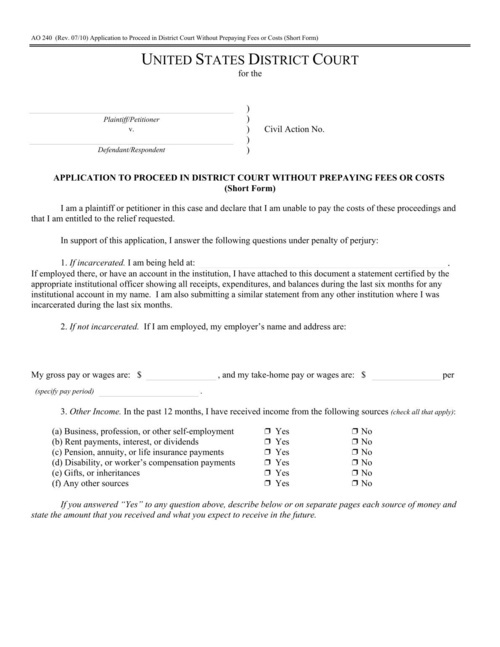
Fillable fields are imported automatically. For a flat or scanned PDF, drag fields onto the page in the template editor.
Name each field and set its type. Every template gets a JSON schema, so bad data returns a clear error instead of a wrong document.
Send JSON to our API or SDKs and download the finished PDF, or share a hosted form that fills the PDF for you.

A REST API with official SDKs in 9 languages: Ruby, Python, JavaScript, TypeScript, PHP, C#, Java, Go and Elixir.

Every template gets a web form that you can share as a link or embed on your site. Each submission becomes a filled-out PDF.

Send someone a hosted or embedded form to check their details and sign. Every signed PDF includes an audit trail.

Webhooks tell your app when a PDF is ready. You can also connect Zapier, n8n, Node-RED, Bubble or Parabola, or save PDFs to your own S3 bucket.


DocSpring has completed a SOC 2 Type II audit and is GDPR and HIPAA compliant.
You choose US or EU data residency when you sign up.
We sign Business Associate Agreements (BAAs) on request.
Yes. Judicial Council forms are public PDFs. Upload the forms you need, map their fields once, and fill them from your case data. When the council revises a form, upload the new version to the same template and adjust any fields that moved.
Collect the answers in your own app or in a DocSpring web form, then send them to each template that needs them. One set of intake data can fill several forms, and you can combine the results into a single PDF.
Yes. Upload your agreement as a PDF or build it as an HTML template, then send up to 50 documents per batch request, each with its own parties, dates and terms.
Yes, with Data Requests. Each signer reviews the document in a hosted or embedded form and signs it. The signed PDF includes an audit trail that records how and when each person signed, which supports compliance with the ESIGN Act and UETA. Those laws don't cover wills, divorce and other family law matters, or court filings, so check the court's or state's signing rules for those documents.
Yes. You can embed DocSpring's template editor in your own product, so your customers set up their own forms and agreements without leaving your app. You choose which editor features they can use.
Yes. In an HTML template, Liquid conditions include or leave out clauses based on the data, and long agreements grow to as many pages as they need. Uploaded PDF forms can use conditional logic to show or require fields in web forms.
DocSpring has completed a SOC 2 Type II audit. Submission data is encrypted at rest with AES-256, and each template can delete submission data and generated PDFs automatically after a set time. You choose US or EU data residency when you sign up.
Sign up for a free trial and try out DocSpring with your own PDFs.


DocSpring has been the PDF engine at the core of iENROLL for more than five years, and we couldn’t be happier. Of all the solutions we evaluated, it was the most capable and had the richest API, and it has only gotten better with each release. But what has made the biggest difference is the team. They go well beyond support. They’ve built a real relationship with us and are invested in our product’s continued success.

DocSpring's simple API and client library was fast to integrate, flexible to our needs, and well documented. Using your service has allowed Harvust to iterate faster and deliver the best product to our growers.

DocSpring has been great! We had to do a lot more PDF template iterations than we originally planned, and being able to do those from your interface was a lifesaver. When a PDF fails because we didn’t send the right payload, the detailed error messages you provide have been very helpful.

I spent a good two days trying to integrate with one of your competitors, and came away frustrated because it still wasn’t working. I was up and running with DocSpring in thirty minutes.
DocSpring has been the PDF engine at the core of iENROLL for more than five years, and we couldn’t be happier. Of all the solutions we evaluated, it was the most capable and had the richest API, and it has only gotten better with each release. But what has made the biggest difference is the team. They go well beyond support. They’ve built a real relationship with us and are invested in our product’s continued success.
DocSpring's simple API and client library was fast to integrate, flexible to our needs, and well documented. Using your service has allowed Harvust to iterate faster and deliver the best product to our growers.
DocSpring has been great! We had to do a lot more PDF template iterations than we originally planned, and being able to do those from your interface was a lifesaver. When a PDF fails because we didn’t send the right payload, the detailed error messages you provide have been very helpful.
I spent a good two days trying to integrate with one of your competitors, and came away frustrated because it still wasn’t working. I was up and running with DocSpring in thirty minutes.