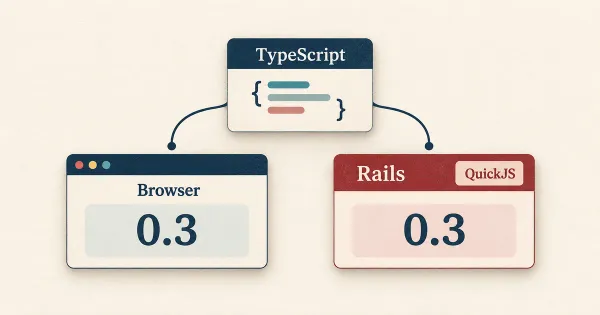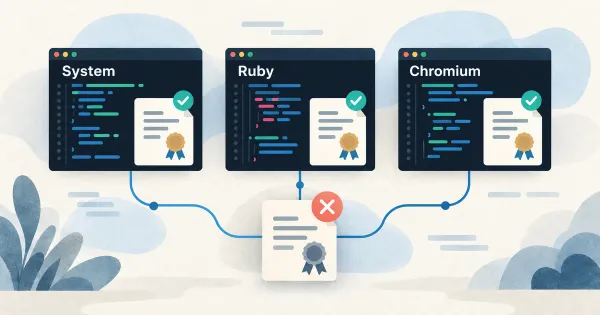

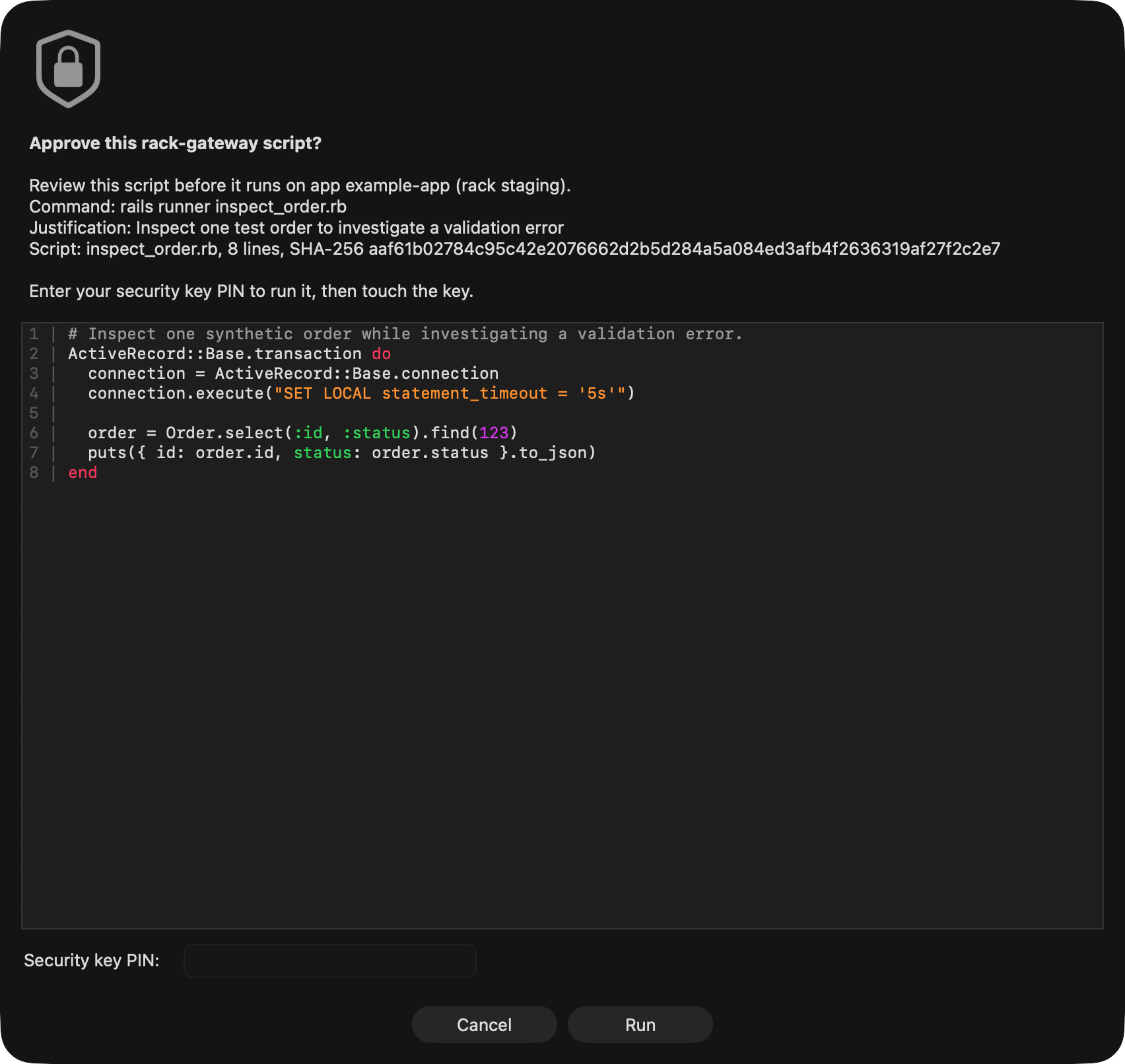
When a coding agent wants to run Ruby on a DocSpring server, a dialog opens on my Mac. It shows the code, the environment it will run in, and the agent's explanation of why it needs to run it. I read the script, enter my security key's PIN, press Run, and touch my YubiKey.
Deployments work the same way. The agent brings me an approval request for a specific commit. My PIN and key touch approve that request, and CircleCI continues with the deployment.
This is Rack Gateway, our open-source access-control service for Convox, the platform we use to run DocSpring in our own AWS account. The gateway sits between our tools and Convox, checking permissions and recording what happens.
We started building these controls for SOC 2. They've turned out to be useful for working with coding agents: the agent can prepare a command or release, while the permission to run it remains a separate decision. We could give agents more work to do through an access model we already used.
From Heroku to Convox
DocSpring started on Heroku. I liked being able to deploy the application and get back to working on the product. Then we received AWS Activate credits, which made moving into our own AWS account appealing.
I didn't want to write all the CloudFormation or Terraform myself. I wanted a web process, a background worker, logs, and a way to deploy them. Convox gave me that: a Heroku-like platform as a service running in our account.
Convox calls an installation of its platform a rack. It includes the cloud resources and management services needed to run your applications. The current AWS rack uses Terraform and runs containers on Amazon EKS, AWS's managed Kubernetes service. You describe your application's services in convox.yml, and Convox handles the builds, releases, and deployment machinery.
As a Rails developer, this feels familiar. Convox is like Ruby on Rails for infrastructure: convention over configuration. There is a working structure to start from, and you can inspect and change the implementation when your needs get more specific.
That's what happened at DocSpring. We now have our own Terraform repository built around the Convox modules. I eventually did write Terraform, but I started with a functioning platform. We could add the resources and configuration we needed without taking on the job of building a PaaS.
The security defaults helped too. For example, AWS worker nodes run in private subnets behind NAT gateways by default, and Convox handles TLS certificates for application domains. This gave us a useful foundation as we prepared for compliance work.
I think Convox is underrated. More startups should consider it before assembling their own deployment platform. You can run the open-source rack yourself, or use the official Console, which adds a web interface, team access controls, audit logs, and deployment workflows. We chose to build our own access layer for our self-hosted setup.
SOC 2 pushed us to tighten access
Our SOC 2 work made us look more closely at who could change our infrastructure and how we would account for those changes afterward. Sharing the underlying rack API credential wasn't the model we wanted. We needed individual identities, permissions, and a record of each action.
Rack Gateway supplies those through an API proxy, web interface, and CLI. It authenticates the person or API token making a request, checks whether the operation is allowed, and asks for MFA where required. Convox still runs the applications underneath it.
At DocSpring, we also made the gateway reachable only through our private Tailscale network and locked down direct access to the rack API. Being on the network doesn't grant permission to run a command; the gateway still checks the request.
The audit log records who requested an action and what happened. Its entries form an HMAC-linked chain, with periodic anchors stored under S3 Object Lock retention. That makes alterations to the anchored history detectable. The audit documentation explains the distinction between the database log and its immutable anchors.
Once coding agents were helping with operations, we had somewhere to enforce their access. The next problem was making an approval worth reading.
Show me the code before I approve it
A prompt asking whether an agent may “investigate an error” doesn't tell me much. I want to see what it's about to run.
With Rack Gateway, the agent passes a local file using --script and gives a justification. We configure the gateway to refuse commands without one:
rack-gateway run web rails runner \
  --app example-app --rack staging \
  --script inspect_order.rb \
  --justification "Inspect one test order to investigate a validation error"
Here's the synthetic example from the dialog above, using an imaginary application's Order model:
# Inspect one synthetic order while investigating a validation error.
ActiveRecord::Base.transaction do
  connection = ActiveRecord::Base.connection
  connection.execute("SET LOCAL statement_timeout = '5s'")

  order = Order.select(:id, :status).find(123)
  puts({ id: order.id, status: order.status }.to_json)
end
The dialog shows the Ruby with syntax highlighting, the target app and rack, and the justification. I can check that this query reads one record by its primary key, selects only the fields it needs, and sets a timeout. Read-only queries can still overload a database.
Every interactive run or exec needs a fresh MFA proof from my key touch. The gateway enforces this even if I approved another command moments ago. An existing login or recent approval doesn't cover the next command.
We also configure commands to receive a read-only database connection and a limited set of environment variables. If the agent accidentally writes code that updates or deletes a record, the database refuses the write. To request write access, the agent must add --write, which puts a large red warning in the review dialog:
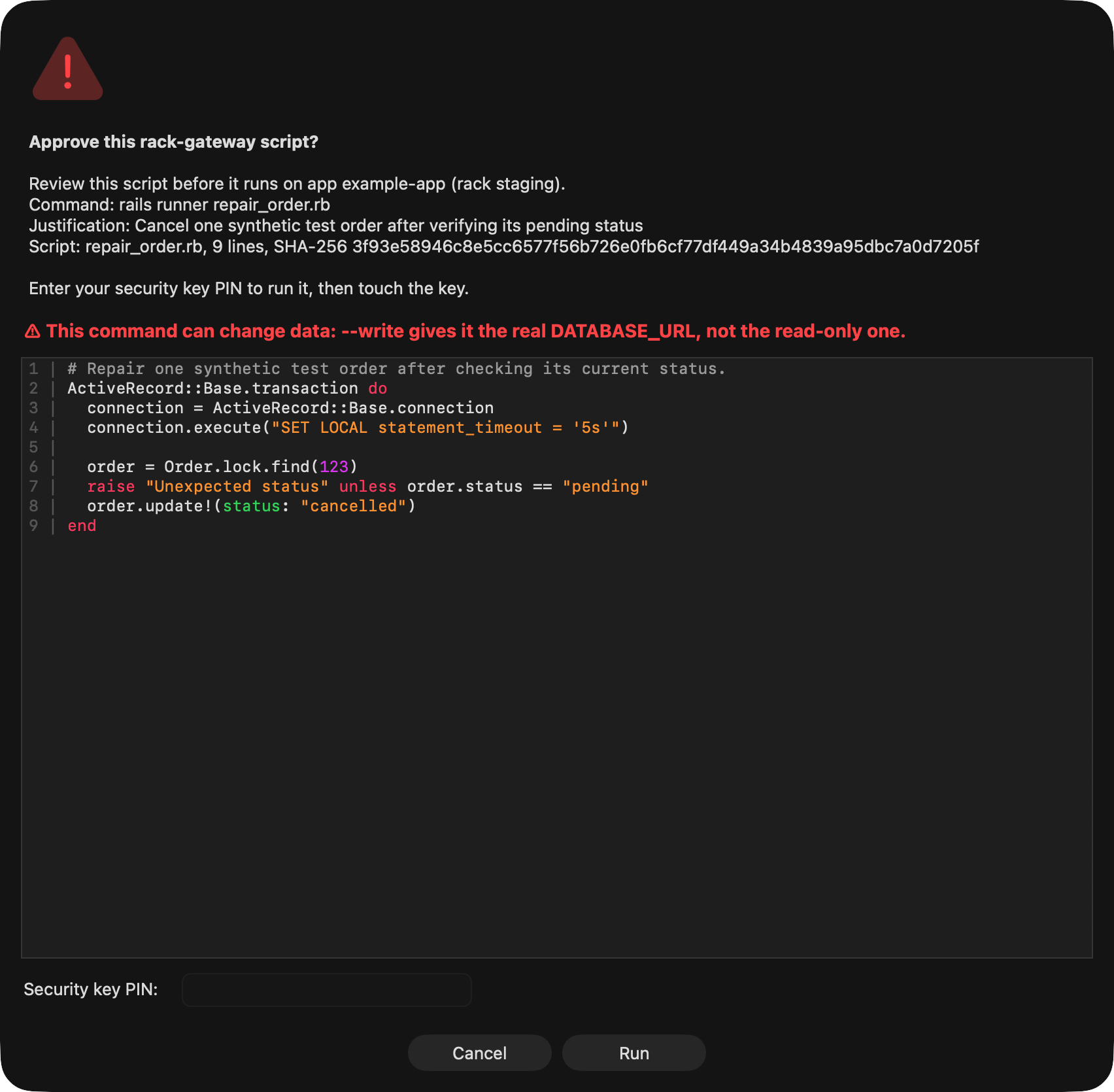
Credentials for services such as billing and email are left out of our default command environment. The agent has to request extra variables by name. The justification and script are also retained in the audit log, with credential redaction and the hash of the original script, so the explanation doesn't disappear when I close the dialog.
These restrictions need configuring for each application; installing Rack Gateway alone doesn't create a read-only database user. We use run to start a process with the selected environment. exec enters an existing process, whose full environment the command can read. A read-only database connection also leaves Ruby free to use the filesystem and network. I still have to review the code and trust my local machine and CLI.
Approving the commit that CI will deploy
For deployments, the thing I review is a particular change: its PR, CI results, and staging QA. Rack Gateway ties the approval request to the app and full commit SHA.
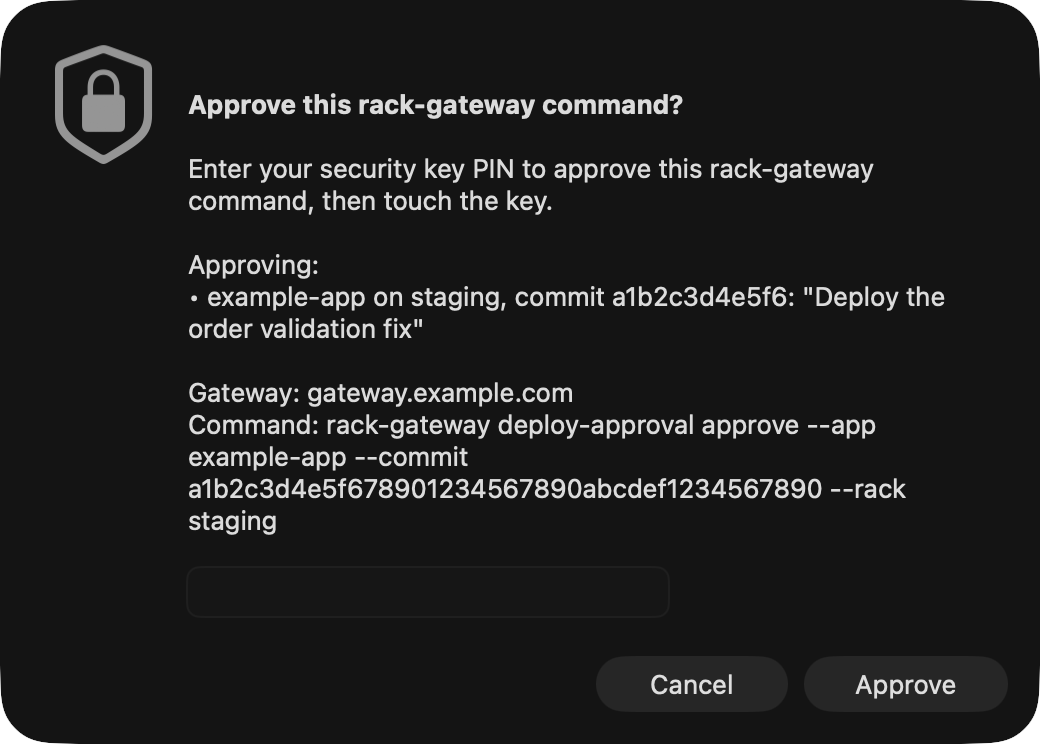
After my PIN and key touch, the CircleCI integration releases the matching approval hold. It checks the workflow's repository and revision against the request before doing so. CI uses a scoped gateway token, and any commands it needs during deployment are explicitly configured.
Our normal path is signed commits on a PR branch, green CI, a staging deployment, staging QA, then production approval. CI merges the PR after the production deployment succeeds. That leaves the PR and its QA notes attached to the change we actually shipped.
We follow the same security procedures on staging as in production. Even a staging command for a QA run needs my approval. I like having staging match production, including the controls around it; we exercise the approval path while testing the change.
Working with several agents exposed another problem: two branches can be ready at once, but staging needs to stay on one of them during QA. We built a deploy queue so our team's agents can take turns. It began as a Markdown note on my laptop and grew into a small service with a CLI and web page on our private network.
A ready branch takes staging, goes through QA and production approval, then releases its place after the merge. If main has moved while it was waiting, it must rebase and pass CI again first. A keepalive frees the slot if an agent session disappears. The queue coordinates whose turn it is; it doesn't cancel an in-flight deploy, and every deployment still needs human approval through Rack Gateway.
The gateway needed scrutiny too
Putting an access-control service in front of infrastructure creates another piece of security-sensitive software to get right. I'd put a lot of work into Rack Gateway, and Tim Haines still found many things I'd missed when he audited it and helped with penetration testing.
We checked the reports against both the gateway and Convox code, fixed the issues, and added regression tests. Further review found more gaps, including a stale user update that could restore an admin role another request had just revoked, and a race between checking a build's manifest and the rack reading its environment.
The initial fixes, follow-up review, and second report's fixes are public. Thanks very much to Tim for helping with this security audit.
What this lets me delegate
An agent can get a branch through CI, wait its turn for staging, and bring me the deployment request. If QA needs a server-side investigation, it can write the script and explain why. I can review the proposed operation without having to assemble it myself.
Convox made this practical for us. We could concentrate on access and approvals because we already had a platform that knew how to build and run the application. Rack Gateway is open source, and its hardening guide covers the setup behind this workflow. It's still pre-1.0.
On another platform, I'd still let agents prepare operations and require a person to approve them. Give the agent a way to bring you the code or commit, the target, and the access it needs. Put the approval check in the system that will actually run it. That's what lets me hand over more of the work while keeping a decision I want to make myself.