
IRS Form W-9
Fill out IRS Form W-9 online and generate the PDF, or fill it from your own app with the DocSpring API.
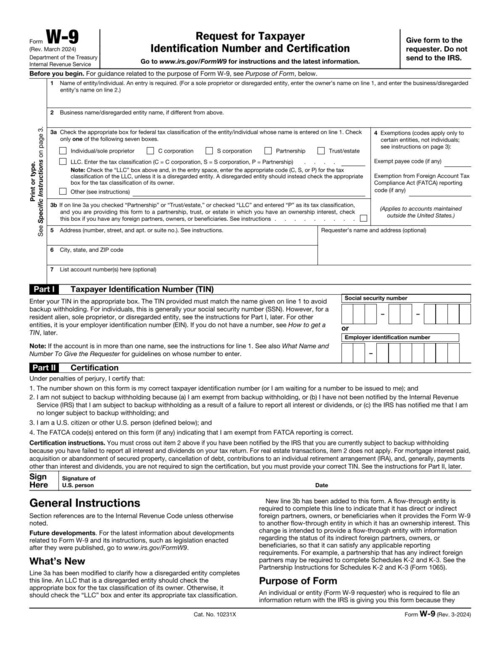
About this form
Use Form W-9 to provide your correct Taxpayer Identification Number (TIN) to the person who is required to file an information return with the IRS to report, for example:
- Income paid to you. - Real estate transactions. - Mortgage interest you paid. - Acquisition or abandonment of secured property. - Cancellation of debt. - Contributions you made to an IRA.
Three ways to use it
Fill it out online
Answer the questions on a web form, or type straight into the fields on the PDF. Switch between the two at any time.
Fill out the formFill it from your app
Send JSON to our API or one of our SDKs in ten languages with your own API token, and get the filled PDF back. The PDFs are in your account, and we keep the form up to date.
Read the API guideMake it your own
Copy the template to your account to move fields, add your own, and share your own online form.
Use this templateTry the API
Paste this command into your terminal to fill IRS Form W-9 with a demo API token.
To fill it from your own account, use one of your API tokens with its template ID,
tpl_KnCMamggR6tPShCatp.
Keep
version=1.1.0
in the URL so that nothing changes for you when we publish a new version.
# This template has a lot of fields, so you'll need to download and run this bash script:

curl -sfSL "https://app.docspring.com/api/v1/templates/tpl_KnCMamggR6tPShCatp/curl_example.sh?version=1.1.0" \
  -u "api_nXerNcJM5LRThDXgka:9pAJQZb5mYQZHjQHjZCQJJ9hxSPGL9ZAYc3QFxgQCE" \
  -o "/tmp/docspring_tpl_KnCMamggR6tPShCatp.sh"
bash "/tmp/docspring_tpl_KnCMamggR6tPShCatp.sh"
Automate your forms
Test PDFs are free and unlimited. No credit card needed.