Locked Templates
You can lock a template to prevent any updates. A locked template cannot be changed or deleted through the template editor or the API. You can unlock it at any time. However, you can still use a locked template to generate PDFs.
To change a template’s PDF or fields without affecting your existing integrations, use Template Versions: edit the draft, publish a new version, and choose which version your API requests use. Locking applies to every version: when you lock or unlock the template, all of its versions are locked or unlocked with it.
The “Lock” and “Unlock” options can be found in the ”…” menu on the Templates page. You can also use the Locked checkbox in the template editor’s Settings, or set locked with the Update Template API endpoint.
Lock Template Option
Section titled “Lock Template Option”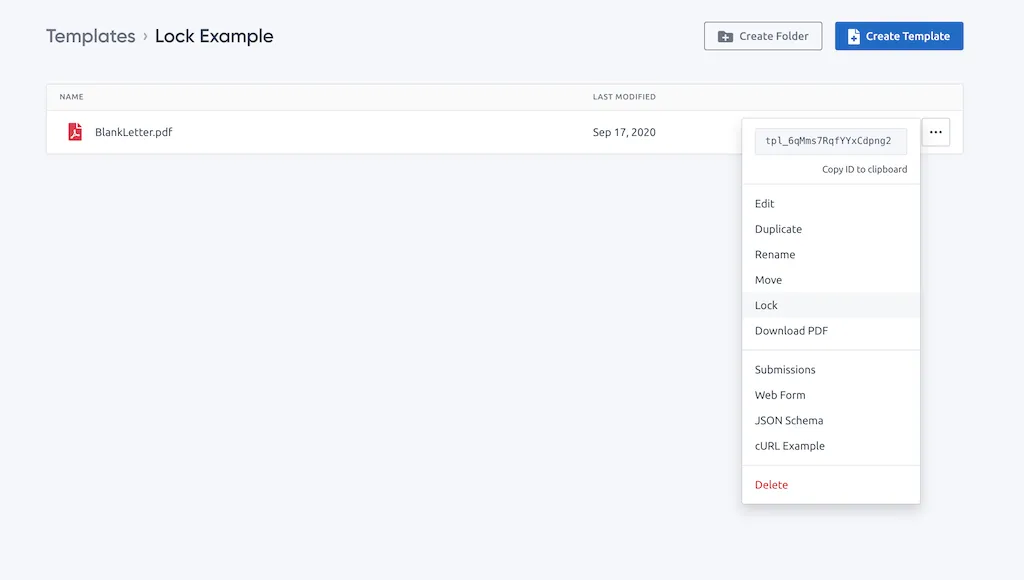
Unlock Template Option
Section titled “Unlock Template Option”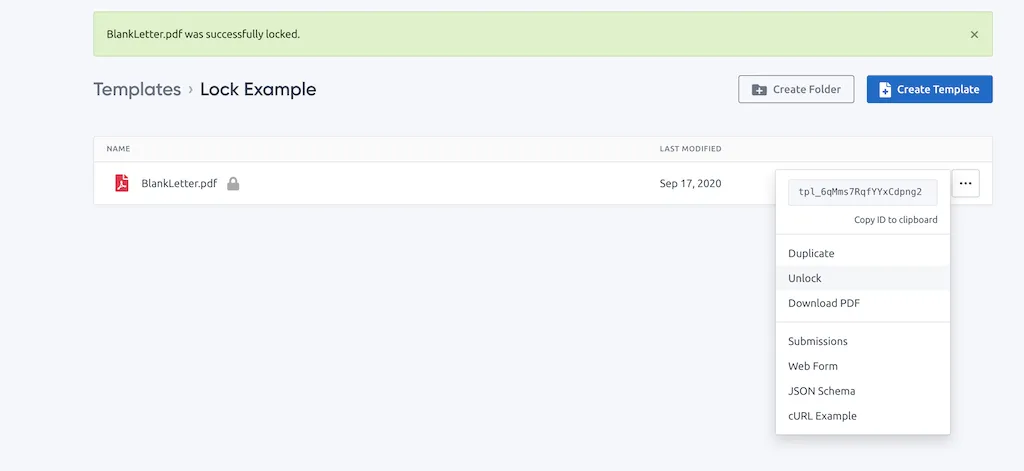
Opening a Locked Template
Section titled “Opening a Locked Template”A locked template opens in the template editor as read-only, with a Locked badge in the header.