

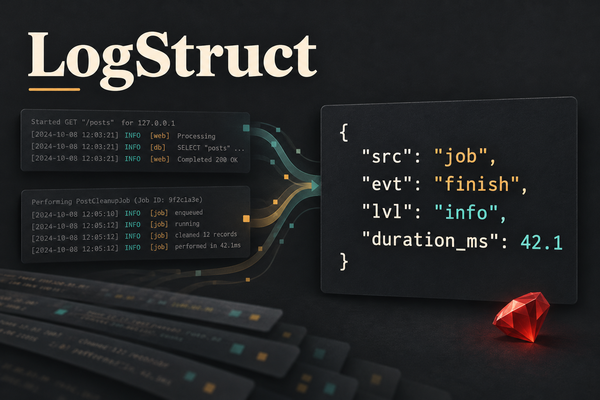
At DocSpring, we were using Lograge to turn Rails request logs into JSON. That made requests easy to query. Elsewhere in the application, background jobs, mail delivery, and file uploads still produced plain text that I wanted to query too.
I wanted to use those events in CloudWatch metrics and dashboards without writing a separate parsing rule for each library. We started doing this inside DocSpring, then extracted the code into LogStruct, an MIT-licensed gem for Rails.
LogStruct builds on Semantic Logger and uses Lograge for requests. Its integrations turn the other libraries' output into structured events, with filtering applied before each line is written. The built-in entries have Sorbet types, although you can keep using Rails.logger without adopting Sorbet in your application.
We soft-launched LogStruct on GitHub a little while ago, but we've put a lot more work into LogStruct recently and have been using it in production for a while, so this seems like a good time to introduce it properly. The Ruby examples below use LogStruct 0.2.2 and synthetic data.
Start with the logger you already use
LogStruct needs Ruby 3.3 or newer and Rails 7.1 or newer. Add it to your Gemfile:
gem 'logstruct', '0.2.2'Then install it and try it in development:
bundle install
LOGSTRUCT_ENABLED=true bin/rails server
LogStruct is off in development by default. In production, it turns on automatically for recognized web servers and workers, including Puma, Sidekiq, and good_job start. Consoles and production Rake tasks keep their usual logging unless you explicitly enable it. The process documentation covers the full list.
In production, LogStruct writes one JSON object per line to STDOUT. Your existing log collector can send those lines to CloudWatch, Datadog, Grafana, or another service that accepts JSON.
For an application event, pass a Hash to the logger:
Rails.logger.info({evt: 'report_previewed', report_id: 42})Those keys become fields in the log line. evt is the event name; src identifies its source and defaults to app for your own messages. LogStruct adds the timestamp and level. A plain string still works too.
Requests are only part of the picture
A request to a synthetic /reports/42 endpoint produced this entry. I've kept the fields relevant to the example and formatted the JSON for readability:
{
  "src": "rails",
  "evt": "request",
  "path": "/reports/42",
  "method": "GET",
  "status": 200,
  "duration_ms": 28.13,
  "req_id": "blog-example-request"
}
Application messages written during that request get the same req_id. You can find the request and the messages its controller wrote without extracting an ID from a text prefix.
The ActiveJob integration uses the same common fields. When our example ReportPreviewJob finished, it wrote this entry (also shortened, with the duration rounded):
{
  "src": "job",
  "evt": "finish",
  "job_class": "ReportPreviewJob",
  "job_id": "417408a0-f4cd-4892-b253-a08e2579f5da",
  "duration_ms": 5.12
}
The job has its own ID and lifecycle events. Request context doesn't automatically cross into a separately executed job; pass any correlation ID you need explicitly.
I wanted to be able to query jobs as easily as requests. Filtering on src = job and evt = finish gives me completed jobs, with a duration field I can use. Mail delivery has its own events and fields, with the same common fields for the source, level, and time.
There are integrations for Sidekiq and GoodJob, ActionMailer, Puma, and upload libraries including ActiveStorage and Shrine. The integration docs show what each one writes. LogStruct takes over the framework loggers when enabled, so an app with existing logger customizations should review those settings when adopting it.
Filter structured values and strings
Request parameters and job arguments can contain values that shouldn't end up in a log service. LogStruct filters by key name and also scrubs recognizable patterns inside strings, following the approach of Logstop. Both happen in the formatter, so the same handling applies to the different integrations.
For example:
Rails.logger.info({
  evt: 'export_requested',
  export_id: 'exp_example',
  email: '[email protected]',
  apiKey: 'synthetic-api-key'
})
Here are the fields it writes, with the timestamp and logger name omitted:
{
  "evt": "export_requested",
  "export_id": "exp_example",
  "email": {
    "_filtered": {
      "_class": "String",
      "_hash": "fb36de5a01b3867b"
    }
  },
  "apiKey": {
    "_filtered": {
      "_class": "String"
    }
  },
  "src": "app",
  "lvl": "info"
}
LogStruct replaces the API key with a summary and the email address with a keyed hash. That hash lets you correlate repeated occurrences without storing the address in the log. Your hash will differ from this example's: the key is derived from your app's secret_key_base unless you configure one. These hashes are pseudonyms, not anonymous data.
The scrubbing also works when an address appears inside a message:
Rails.logger.info('Sending export to [email protected]')Its msg becomes:
Sending export to [EMAIL:fb36de5a01b3867b]Key matching handles names such as apiKey, X-Api-Key, and HTTP_AUTHORIZATION. LogStruct also respects Rails' filter_parameters and leaves that configuration in place for other Rails features.
The defaults can't know every sensitive field in your application. If you store an address under delivery_address, add it to the filter configuration:
LogStruct.configure do |config|
  config.filters.filter_keys += [:delivery_address]
end
Put that in config/initializers/logstruct.rb. Pattern matching can miss data or match something you wanted to keep, so choosing what to log still matters. IP and MAC address scrubbing are opt-in. The filtering documentation explains the defaults and custom rules.
Types for the fields you query
A log line can be valid JSON and still be wrong for the query that consumes it. An HTTP status stored as a string is different from an integer. A misspelled event name might quietly disappear from a dashboard.
LogStruct's built-in entries are Sorbet structs. Here's a request entry constructed directly, which is what the integration would normally do for you:
entry = LogStruct::Log::Request.new(
  http_method: 'GET',
  path: '/reports/42',
  status: 200,
  duration_ms: 28.13
)

LogStruct.info(entry)
Changing status: 200 to status: '200' raises a TypeError in development and test. If your application runs Sorbet's static checker, it can catch that mistake before execution too. In production, the default is to log the type error and send it to a configured error reporter, allowing execution to continue. You can change that policy.
An ordinary Hash passed to Rails.logger doesn't gain a schema automatically. For application events that need one, you can define custom typed log classes with named fields and an enum for the allowed events. I like having that option for events that other code or infrastructure depends on, while keeping ordinary messages easy to write.
Check the event names in Terraform too
There is another place for a typo: the metric filter reading the log. If the application writes delivered and a CloudWatch filter expects deliverd, the filter can sit there matching nothing.
LogStruct's event schemas generate the Ruby structs and metadata used to build a catalog for the LogStruct Terraform provider. The provider uses that catalog to check built-in source and event combinations during planning.
This mail delivery example temporarily pins provider 0.1.12 because an ingestion issue is keeping newer releases out of the Terraform Registry. Its mailer catalog is identical to provider 0.2.2's, and we've tested this example with gem 0.2.2. Other integrations have catalog differences, so this compatibility applies only to the mailer example.
terraform {
  required_providers {
    logstruct = {
      source  = "DocSpring/logstruct"
      version = "= 0.1.12"
    }
  }
}

data "logstruct_pattern" "email_delivered" {
  source = "mailer"
  event  = "delivered"
}
Save the configuration as main.tf, then run terraform init to install provider 0.1.12 from the Registry and terraform plan to check it. The resulting data.logstruct_pattern.email_delivered.pattern can be used in an aws_cloudwatch_log_metric_filter. If you change the event to deliverd, the plan fails:
Error: Invalid event

event deliverd is not allowed for source mailer
The provider validates against its own bundled catalog. It doesn't inspect the version of the gem running in your app, and it doesn't cover your custom event classes or validate every field in a line. When changing either version, check that the catalog matches the events you use, and test that those events actually reach your log service.
In our previous post about code quality and AI agents, I wrote about making requirements executable so a developer or agent has less to remember. This is a small example of that. The event names used by the application and the infrastructure come from the same definitions, and a typo gets an error while you're working on the change.
Try it in your own application
To try it, enable LogStruct locally and exercise a request and a background job. Inspect the lines your application produces, including the values you've asked it to filter. Then try a query you would want during an investigation.
The getting-started guide covers installation, and the source is on GitHub. If you're using an older release, read the 0.2 upgrade notes first: the output format and several defaults changed.
I'd especially like feedback from people trying it with libraries we don't yet cover. A small reproduction of the log output you need would be a useful starting point for another integration.