

Custom Domain and SSL Certificate
Convox uses Let’s Encrypt to issue SSL certificates, by running
cert-manager in your Kubernetes cluster. To verify
your domain, your DocSpring installation must be reachable from the public
internet, and your domain needs a CNAME DNS record that points to your rack’s
convox.cloud hostname.
Configure the DNS record
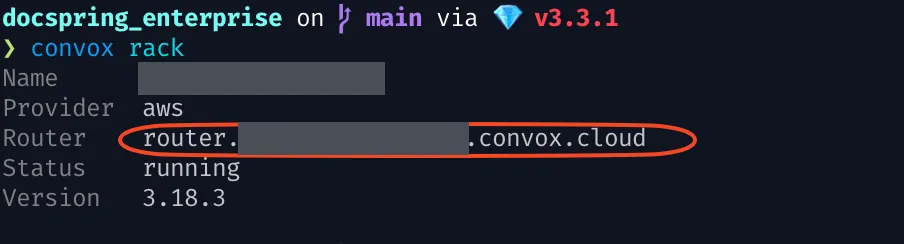
Section titled “Configure the DNS record”Run convox rack to find your rack’s convox.cloud router hostname:
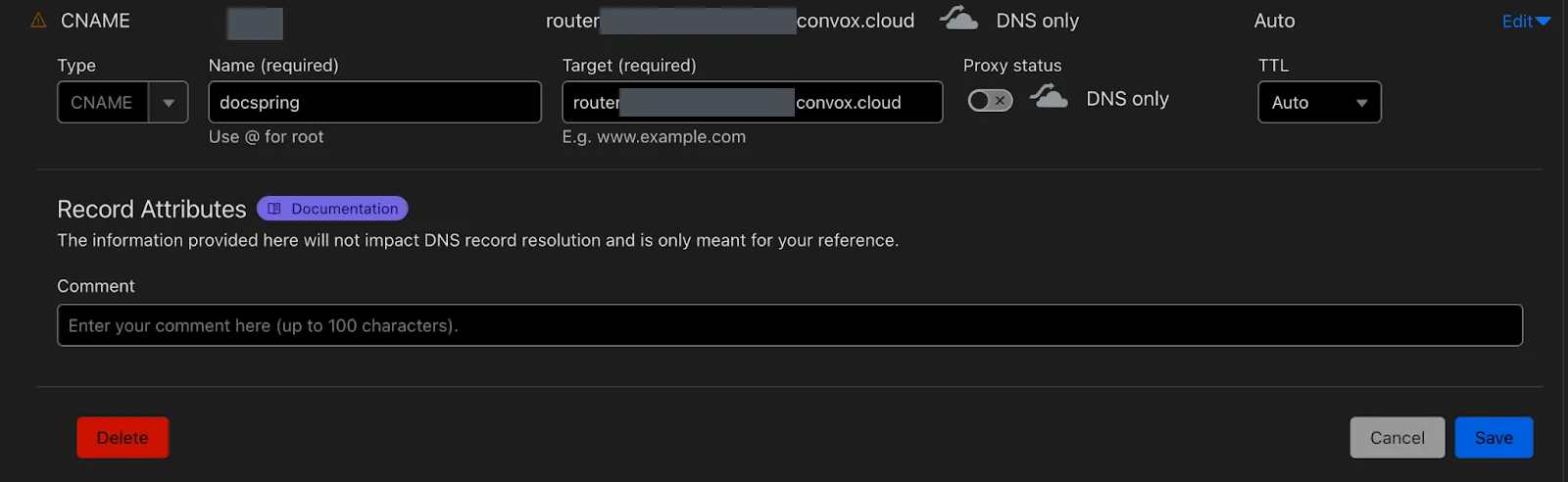
Create a CNAME record with your router hostname as the target. For example, in Cloudflare:
Configure the domain in convox.yml and deploy
Section titled “Configure the domain in convox.yml and deploy”-
Go to your
docspring_enterprisedirectory and openconvox.ymlin your text editor. -
Change the
# domain: docspring.example.comline todomain: <your domain>(remove the#at the start of the line to uncomment it). -
Run:
Terminal window convox env set DOCSPRING_DOMAIN_NAME=<your domain>./update.sh
Once the change has been deployed, you can visit your DocSpring installation at your custom domain.
If it doesn’t work straight away, you may need to wait for your DNS record to propagate so that Let’s Encrypt can verify your domain. This usually takes 15 to 20 minutes, but can take up to 24 hours.